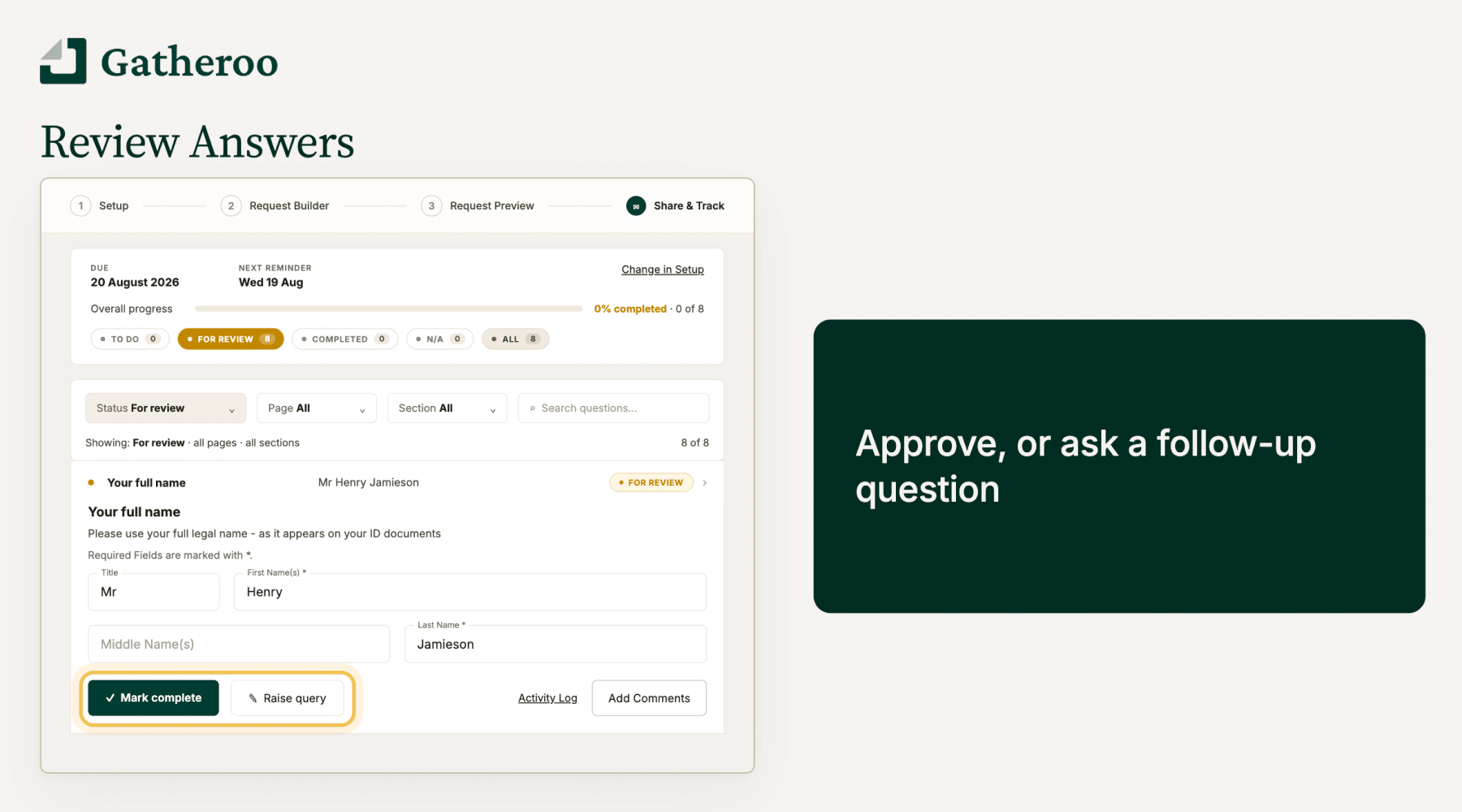
Review Answers gives you a step between a client submitting an answer and that answer being closed off. You decide which answers you want to check, and nothing is marked complete until you have looked at it.
This guide explains what Review Answers does and how the process works. The step by step guides linked below cover each part in detail.
What Review Answers does
Without Review Answers, a request is finished when your client says it is finished.
They answer every question, confirm they are done, and the request closes. That works when the information is simple. It works less well when an answer can be technically complete but not actually usable: a bank statement covering the wrong three months, an ID that has expired, a business name that does not match the one on the application.
Review Answers adds a checking step.
When a client submits an answer to a question you have set for review, that answer waits for you in a queue rather than closing off. You then either mark it complete, or raise a query telling the client what needs to change.
Different businesses have their own name for this step.
Some call it approvals, some acceptance, some sign off, some second review.
Gatheroo is built around the process rather than the vocabulary: an answer is reviewed, then the work on it is completed.
The wording stays deliberately neutral so it fits whatever your practice already calls it. Your clients don’t see this setting, unless you query an answer.
How the process works
- You choose which answers need reviewing in Step 1: Setup, on the Request & recipients tab. You can require it on every answer, or choose specific ones.
- Your client completes the request as normal.
- Answers to questions set for review arrive in the Responses tab, under Share & Track, with the status For review.
- You open each one and either mark it complete, or add a query with a note explaining what needs to change.
- Queries are held until you send them. However many you raise, they go out together in one email.
- Your client sees the queried question back on their to do list, with your note attached. They correct it and resubmit.
- The answer returns to For review, and you decide again.
Questions you have not set for review are unaffected. They complete when your client submits them, exactly as they do now.
What your client sees
Your client’s view stays simple. Their progress bar shows what is outstanding and what is done, and it does not change based on whether you have set a question for review. An answer they have submitted reads as done to them, whether or not you have reviewed it yet.
They only see a query once you send it. Anything you are still drafting is invisible to them.
When you send a query, the question returns to their to do list carrying your note. The note is the instruction, so it is worth being specific: “please send the March to May statements, these cover December to February” tells them what to do. “Incorrect” does not.
There is more on the client side in How to open and navigate your Gatheroo request.

Reminders
Reminders follow your client’s progress, not yours. They stop once your client has completed everything, and they start again if you query something, because a queried question puts the request back below complete.
This means a queried question keeps chasing itself on whatever reminder schedule you set for the request. There is nothing separate to switch on.
See Understanding client reminders.
Availability
Review Answers is available on all plans.
It is switched off by default, so existing requests and any new request you build behave exactly as they did until you turn it on. You will find it in Setup, on the Request & recipients tab.
Step by step guides
- Turning on Review Answers for a request: where the setting lives, requiring review on every answer or choosing specific ones, and changing it after a request has been sent.
- Reviewing answers in the Responses tab: finding your queue, filtering and searching, and marking answers complete.
- Raising and sending queries: writing a query note, holding queries until you are ready, and sending them together.
Getting started
If you want to try it on a single request, the quickest way in is to set review on one or two questions rather than the whole request. Choose the answers that most often come back not quite right. Send the request as normal, then open Share & Track and then Responses once the first answers arrive.