What this covers: The Dashboard is the first screen you see when you log in to Gatheroo. It gives Account Owners and team members a quick view of what needs attention – upcoming deadlines, recent activity, unread comments, and shortcuts to common actions. This guide explains each section so your team can navigate confidently from day one.
The Dashboard at a glance
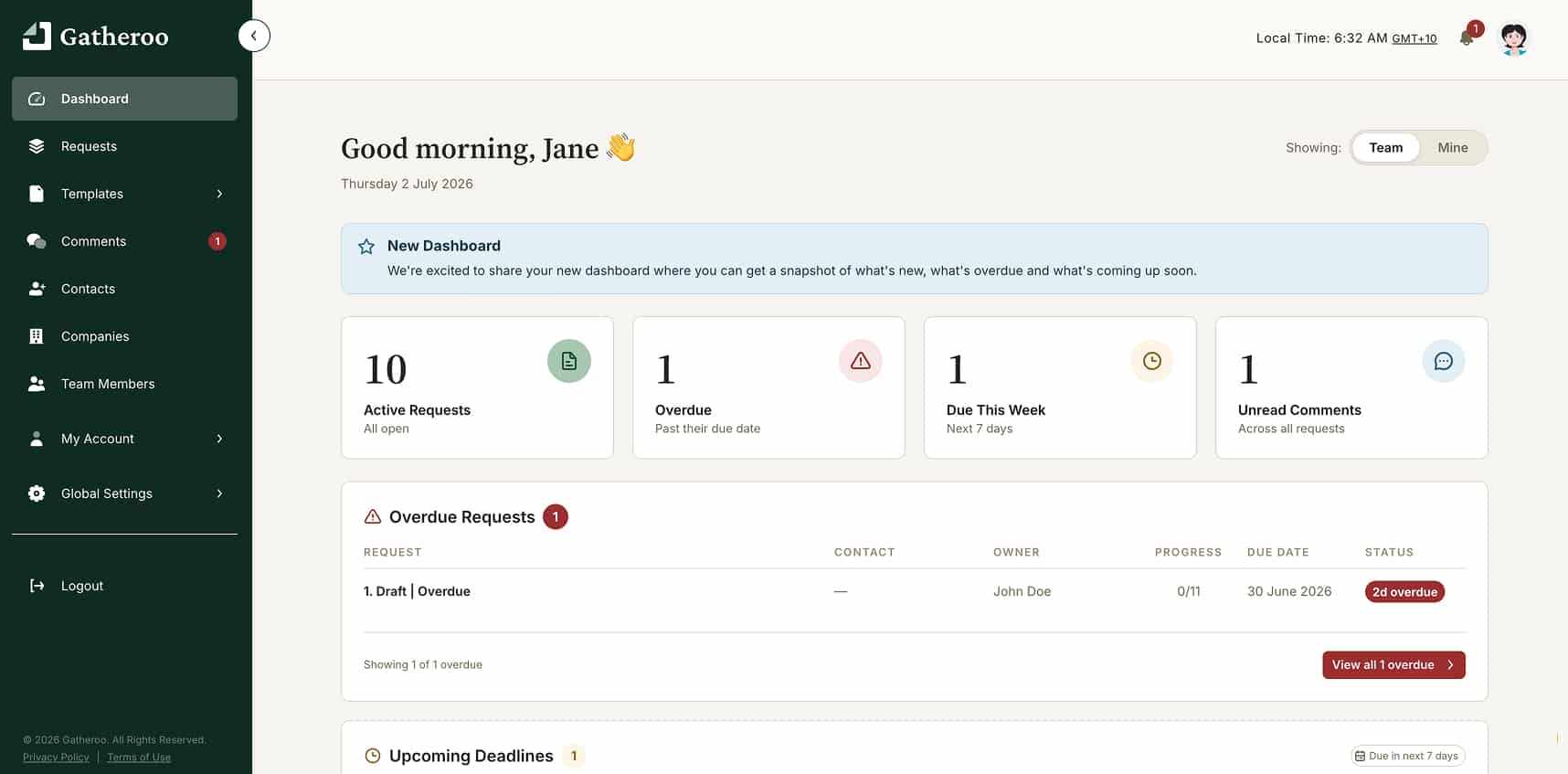
Quick Actions
The Quick Actions section gives you one-click shortcuts to the most common tasks:
- New Request: jump straight into creating a request
- Add Contact: add a new client contact
- Unread Comments: go directly to any comments on your requests that you haven’t read yet
Clicking Unread Comments takes you to the Comments page filtered to the Unread tab.
Upcoming Deadlines
This panel lists requests that have a due date set and are not yet complete, ordered by due date. Use it to spot anything that needs chasing.
Latest from Gatheroo
New product updates and announcements from the Gatheroo team appear here. It’s worth checking occasionally to stay up to date with new features.
Help & Resources
This section links directly to these How-To Guides and other support resources. If a team member is stuck, this is a good first stop.
The left-hand menu
Everything else in Gatheroo is accessible from the left-hand menu:
- Requests: your main working area
- Contacts: all your client contacts
- Companies: company records linked to contacts
- Templates: saved request templates and Gatheroo’s Templates Library
- My Account: your personal settings (profile, notifications, 2FA, integrations)
- Global Settings: account-wide settings including user roles, billing and domain verification (Account Owner and Admins only)