If your request includes a file upload field, your service provider is asking you to attach one or more documents. This guide explains how to do it.
How to upload a file
1. Find the file upload field in your request, it’s typically labelled by your service provider with a description of what’s needed (i.e. “Upload your most recent bank statement”).
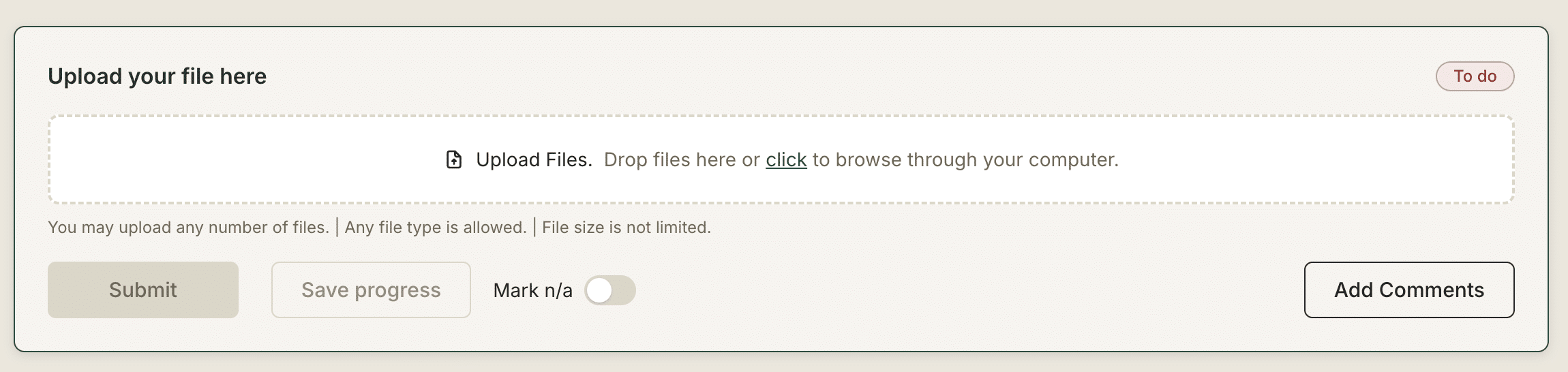
2. Click the upload area or drag and drop a file from your computer onto it.
3. Wait for the upload to complete. A progress indicator will show while it’s uploading, then a confirmation once it’s done.
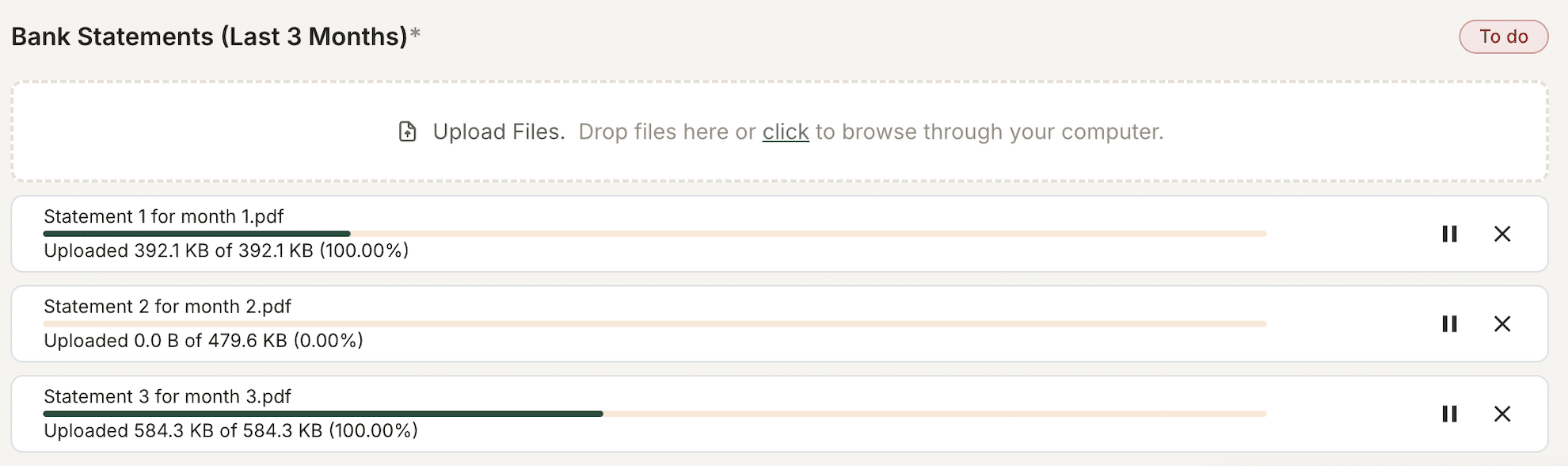
4. If the field allows multiple files, you can select multiple files at a time or repeat the process to add more.
Accepted file types
The request may restrict which file types are accepted, for example, PDFs only. If you try to upload an unsupported file type, you’ll see a message explaining what’s accepted. If you’re not sure, ask your service provider what format they need.
Can’t upload from your device?
Gatheroo works on desktop and mobile browsers. If you’re on a mobile device:
- Tap the upload area to open your phone’s file picker or camera.
- You can take a photo of a document directly if the field accepts image files.
Removing an uploaded file
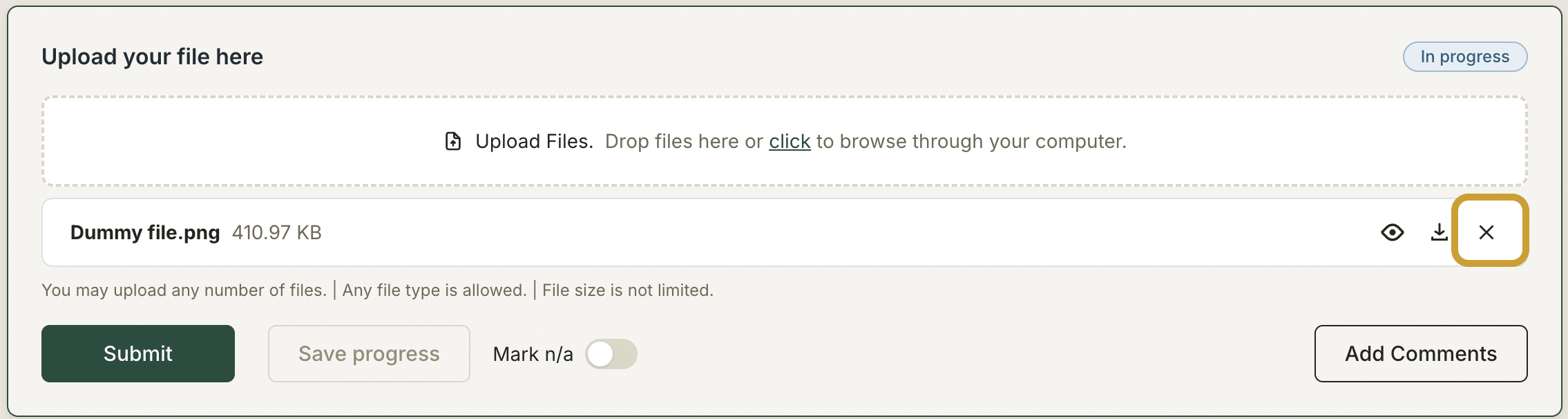
If you upload the wrong file, look for the X icon next to the uploaded file and click it. You can then upload the correct file.
More detail on specific steps
Get back to the main guide