How to Use Field-Level Encryption in Gatheroo
What is Field-Level Encryption?
Field-level encryption is a security feature for text fields that protects sensitive information, like a Tax File Number, by storing it encrypted rather than as plain text.
When you enable this option, the text is encrypted at rest in our database using AES-256-GCM. It’s decrypted only when someone with the right access to your account needs to view it, and always delivered back to them over an encrypted connection. If the underlying data was ever exposed without authorisation, an encrypted field stays protected, unlike a plain text one.
Activating Field Level Encryption on Text Fields:
- Locate the Text Field: Create or open the field where you wish to enter sensitive information.
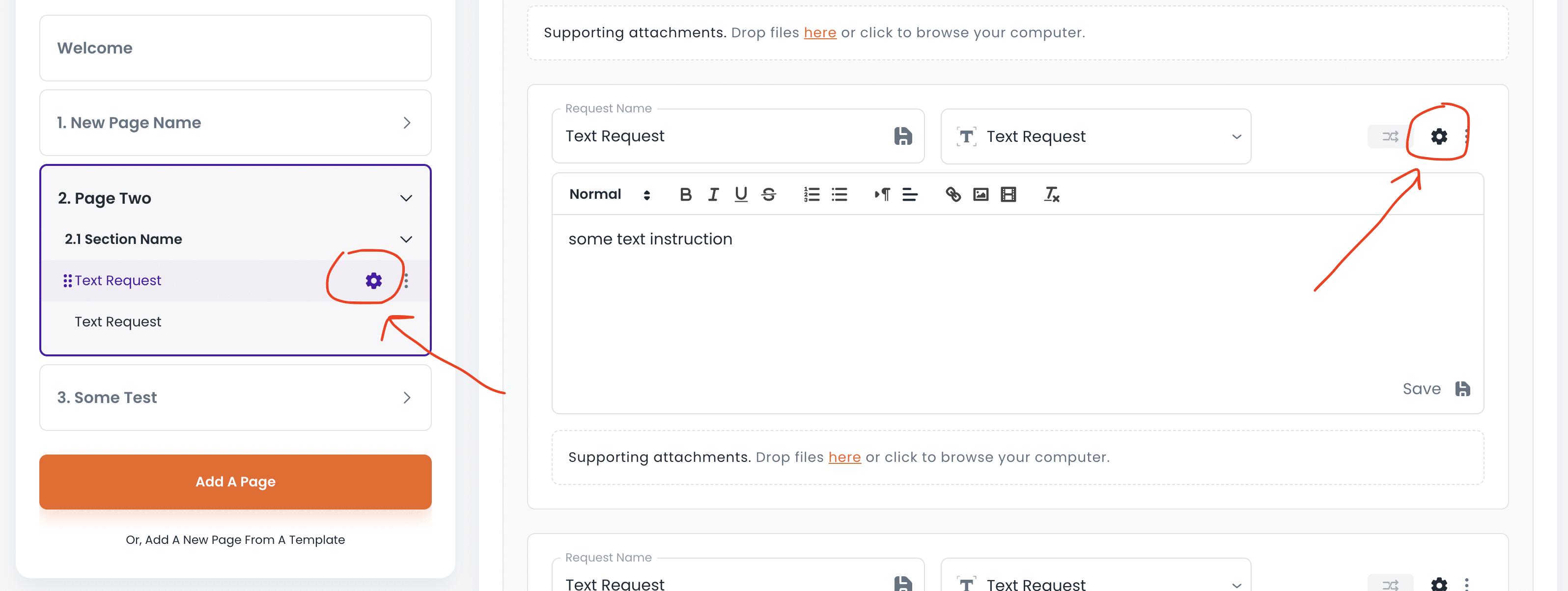
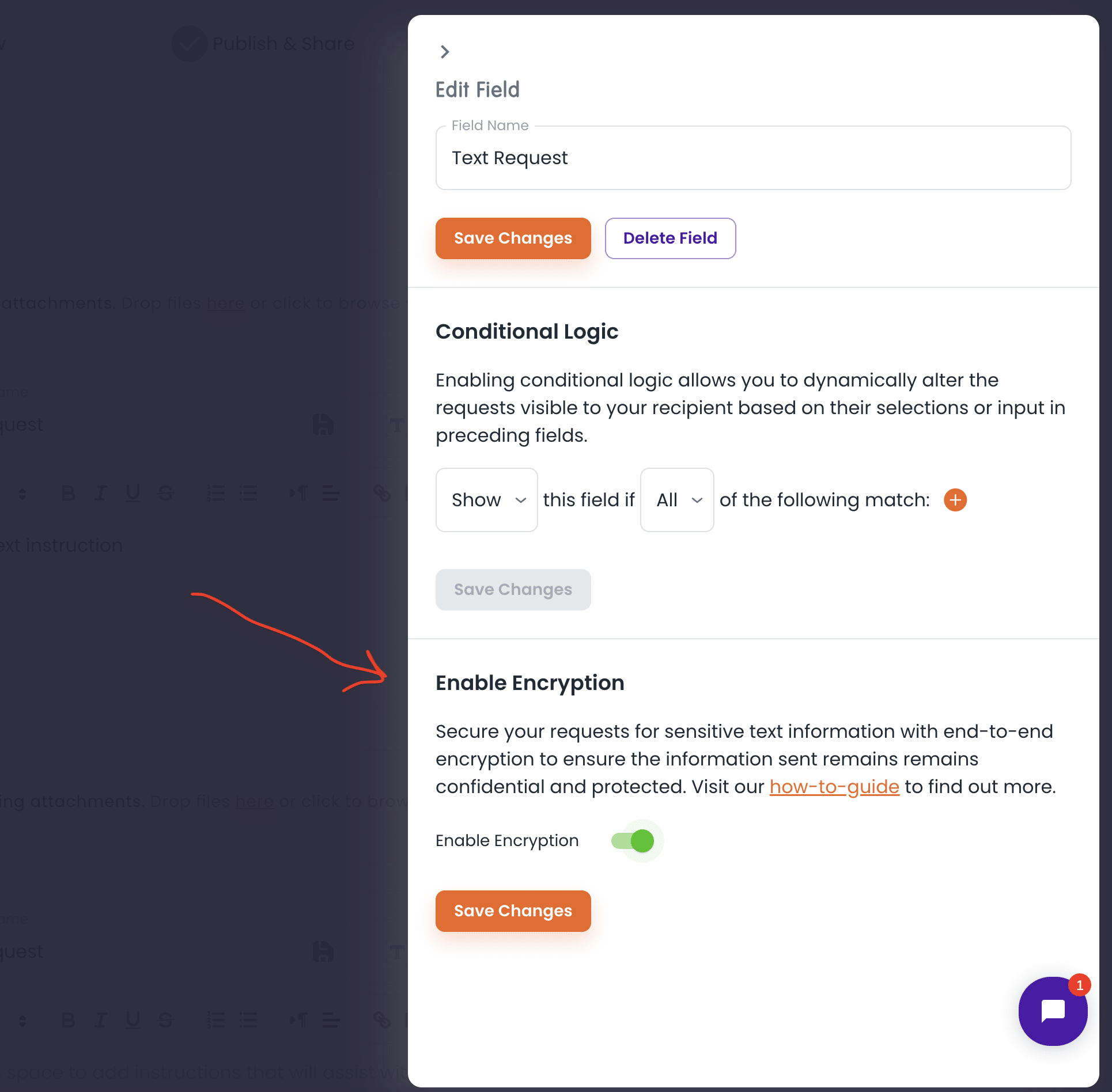
- Toggle Encryption On: Click the settings icon on the field, from either the sidebar or the field itself. Find the toggle labelled “Enable Encryption” and switch it on, then save.
- Enter your text: Once encryption is active, type your text as usual, it’s encrypted automatically in the background.
- Continue as normal: Once you’ve entered your text, proceed as you normally would. It’s now stored encrypted rather than as plain text.
Once enabled, the field is decrypted only when someone with access to your account needs to view it.
Why Use Field-Level Encryption?
- Privacy: Keeps sensitive information out of plain text storage.
- Security: Protects against unauthorised access, including in the event of a data breach.
- Peace of Mind: One less thing to worry about for the fields that matter most.
Feel free to reach out to our support team if you have any questions or need help with this feature.